
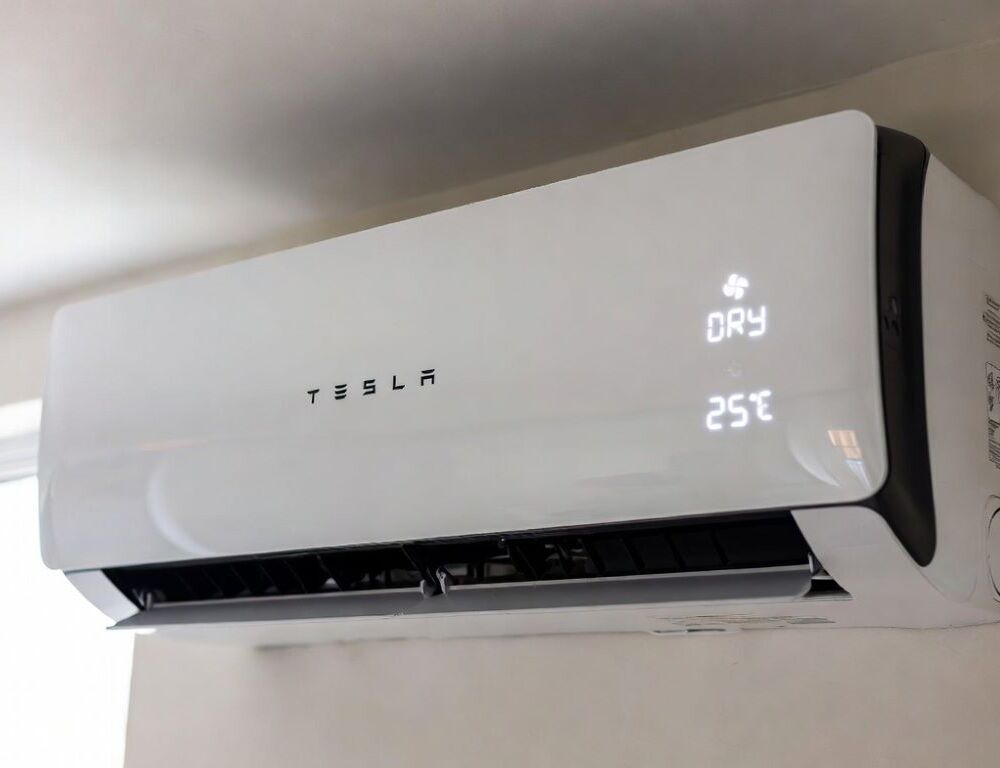
When to use dehumidify mode in an air conditioner is easiest to decide by comfort, not by temperature alone. Dry mode targets excess moisture, so the room can feel better even if the temperature barely drops.
Dehumidify is most useful in rainy weather, shoulder seasons, and homes with weak ventilation. If the real problem is heat, Dry can feel underpowered because it is not designed for fast cooling.
- When should you use dehumidify mode in an air conditioner instead of cooling?
- What is the operating principle of dehumidify mode in air conditioners?
- How do you set dehumidify mode on a remote and in a mobile app?
- How can you verify that dehumidify mode is actually working?
- What mistakes most often make dehumidify mode feel useless?
- When is Dry not the right choice, and what should you use instead?
- Which warning signs mean the issue is service-related, not a mode setting?
- What takeaway does dehumidify mode offer for everyday comfort?
When should you use dehumidify mode in an air conditioner instead of cooling?
Dehumidify mode in an air conditioner fits best when humidity is the main issue. A quick triage works like this:
- Use Dry when the room feels sticky, windows fog up, or laundry dries slowly indoors.
- Use Cool when the room is genuinely hot and temperature drop is the priority.
- Use Fan when you only need air circulation without active moisture removal.
- Keep doors and windows closed, otherwise incoming humid air cancels the benefit.
The choice is validated if the room feels noticeably less muggy within 20–40 minutes in Dry.
What is the operating principle of dehumidify mode in air conditioners?
The operating principle of dehumidify mode in air conditioners relies on moisture condensing on the cold indoor coil and draining away as condensate. Many systems cycle the compressor and limit fan behavior to keep the coil cold enough for steady moisture removal.
A practical check: the air feels drier, and the drain line produces water intermittently during operation. If water does not drain or you see leaks, the issue is drainage or service condition, not a setting choice.
How do you set dehumidify mode on a remote and in a mobile app?
Dehumidify mode is usually enabled by selecting Dry or Dehumidify and letting the system control fan behavior. A reliable setup flow for most units looks like this:
- Press Mode until Dry appears or a water-drop icon shows.
- Set a temperature only if the unit allows it in Dry, otherwise keep the default.
- Keep Fan on Auto if manual fan speeds reduce moisture removal stability.
- In an app, look for Mode, Comfort, or Dehumidify, and use in-app search if labels differ.
The setup is validated if Dry stays selected after a restart and the system runs in consistent cycles rather than erratic bursts.
How can you verify that dehumidify mode is actually working?
Verification is strongest when you pair a clear condition with a timed check. A compact diagnostic table helps keep expectations realistic.
| Situation | What to set | How to validate it |
| Muggy air, heat is moderate | Dry mode, Fan Auto | Room feels less sticky within 20–40 Minutes |
| Window condensation is common | Dry for 30–60 Minutes | Condensation reduces and air feels drier |
| Post-rain indoor discomfort | Dry for 40–90 Minutes | Comfort improves without aggressive cooling |
| Fast cooling is needed first | Cool, Then Dry | Temperature drops, then humidity stabilizes |
| You have a hygrometer | Dry for 60 Minutes | Humidity drops by 5–15% and stays steadier |
The check is successful if humidity trends down on a meter or the “muggy” sensation fades in a consistent way.
What mistakes most often make dehumidify mode feel useless?
Dry mode failures are often caused by preventable conditions rather than bad hardware. The most common mistakes are:
- Running Dry with windows or doors open, which continuously brings in humid air.
- Expecting strong cooling, even though Dry prioritizes moisture removal.
- Ignoring dirty filters, which reduces airflow and moisture condensation efficiency.
- Overlooking drain problems, which can cause odors, leaks, or weak dehumidification.
- Guessing energy impact without a baseline; it helps to compare household background use, such as how much electricity does a refrigerator consume per month and per day, before attributing changes to AC mode choice.
The check is straightforward: after fixing two of these, Dry typically feels more effective within the first hour.
When is Dry not the right choice, and what should you use instead?
Dry is not a universal answer when moisture is not the main driver of discomfort. Common decision points look like this:
- High heat and urgent cooling: start with Cool, then switch to Dry to manage humidity.
- Already-dry air or throat discomfort: reduce dehumidification and avoid extended Dry sessions.
- You need ventilation, not moisture removal: use airflow or room ventilation rather than dehumidify.
The outcome is validated if the chosen mode produces a predictable result in 30–60 minutes without creating a “too dry” feeling.
Leaks, icing, and persistent odors are strong signs that a mode change is not the right next step. Typical warning signs include:
- Water dripping indoors or wet marks near the indoor unit.
- Ice forming on the indoor unit or repeated unexplained shutdowns.
- Musty odor that does not improve after filter cleaning.
- No humidity improvement in Dry with closed windows under normal conditions.
A safer move is to stop operation, clean filters, check for obvious drain kinks, and escalate to service if the symptom repeats.
What takeaway does dehumidify mode offer for everyday comfort?
Dehumidify mode works best in humidity-driven scenarios where the goal is to remove muggy air without aggressive cooling. Results stay consistent when you validate the effect with a timed check, keep airflow and drainage healthy, and switch modes based on the actual problem, not a fixed habit.