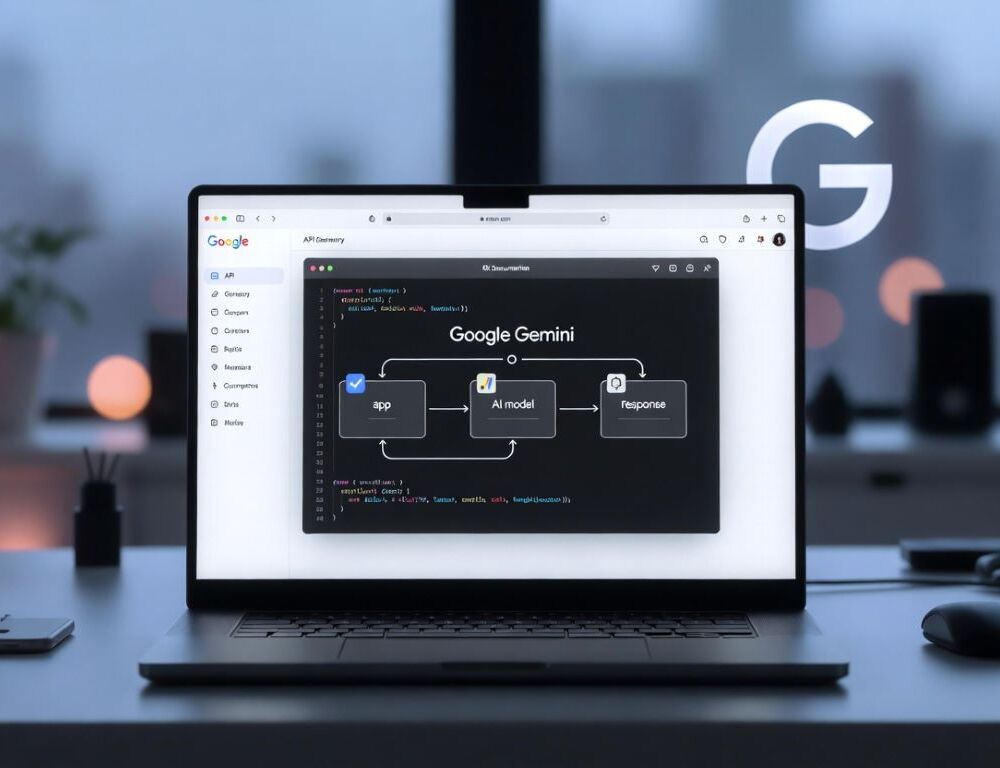
Google Gemini API gives you programmatic access to Gemini models, but a stable integration starts with three things: the right key, the right authentication path, and a predictable cost model. If you do not separate AI Studio, Vertex AI, and billing early, you usually end up debugging the wrong layer.
- How do you get a Google Gemini API key in Google AI Studio?
- What should you check first if Google Gemini API access is missing or blocked?
- How does Google Gemini API pricing work and what affects the cost?
- Which Gemini model should you choose for your use case?
- How do you keep a Gemini API key secure in apps and scripts?
- Why do Gemini API requests fail with quota, 403, or 429 errors?
- What mistakes make Gemini API integrations unreliable?
- What should you do after your first successful Gemini API call?
How do you get a Google Gemini API key in Google AI Studio?
A Google Gemini API key is created in Google AI Studio, where you manage keys for Gemini API projects and test early requests.
Google’s official Using Gemini API keys documentation explains that API keys are created and managed in Google AI Studio, and that AI Studio acts as a lightweight interface over Google Cloud projects. It also says that for new users, after accepting the Terms of Service, Google AI Studio can automatically create a default Google Cloud project and API key to simplify setup. That is important because many access issues are really project-mapping issues, not API issues.
How do you create the key without losing track of the right project?
The cleanest setup path is to sign in to Google AI Studio, choose or create the correct project, open the API keys page, and generate a key for testing.
Validation is simple: you should end up with a key value stored in a secure place and be able to use it in a minimal request.
If the key option is missing, check region availability, account type, and whether you are using an organization-managed account. A quick baseline is How to Use Google Gemini, because it helps separate a sign-in problem from an API setup problem.
How do you validate that the key actually works?
The best way to validate a Gemini API key is with a very small request that should return a predictable response.
A reliable success signal is that the request completes without an access error and you can observe some usage signal, such as request logs or quota activity.
If the call fails, repeat the same minimal test with a fresh key in the same project before you move on to quota or billing checks. That avoids wasting time on the wrong failure mode.
What should you check first if Google Gemini API access is missing or blocked?
Missing Gemini API access usually comes down to account type, region availability, project configuration, or authentication method.
Start with fast isolation steps:
- confirm the same Google Account is being used in AI Studio, the console, and your code;
- test in a private browser window to rule out extensions and sign-in loops;
- try another network if filtering is possible;
- check whether an organization or education policy is limiting access.
At that point, you should be able to open the key-creation flow or run a minimal test without looping back through sign-in. That gives you a clean baseline.
Google’s Vertex AI API key documentation adds an important operational split: for Gemini on Vertex AI, Google recommends API keys for testing, but application default credentials for production. That difference is one of the main reasons developers confuse quick setup in AI Studio with production authentication in Google Cloud.
How does Google Gemini API pricing work and what affects the cost?
Google Gemini API pricing is not built around a flat consumer-style subscription. It depends on model choice, request volume, and usage mode.
Google’s official Billing page for the Gemini API states that billing is based on two pricing tiers: the Free Tier and the Paid Tier under a pay-as-you-go model. On the Gemini Developer API pricing page, Google says the Free Tier includes limited access to certain models, free input and output tokens, and Google AI Studio access. The Paid Tier adds higher rate limits, context caching, and Batch API access with a 50% cost reduction. That is the pricing logic you need before you estimate anything seriously.
A practical way to estimate cost before scale:
- choose the exact model you plan to use;
- measure average request and response size;
- confirm your tier, rate limits, and billing state;
- enable usage tracking before rollout.
For comparing scenarios, see Google Gemini Pricing: Cost, Plans, Advanced, and Pro. It helps keep consumer subscriptions separate from API billing.
Which Gemini model should you choose for your use case?
The right Gemini model depends on the tradeoff between speed, cost, quality, and whether you need multimodal inputs.
In the Gemini 2.5 technical report, Google says the Gemini 2.X family is natively multimodal, supports long context inputs of more than 1 million tokens, and that Gemini 2.5 Pro can process up to 3 hours of video. The same report describes Gemini 2.0 Flash-Lite as the fastest and most cost-efficient model built for at-scale usage. In practice, that means there is no universally best model. There is only the right model for your workload, input type, and budget.
A practical selection order looks like this:
- start with a cheaper model that can still produce your required structure;
- use a multimodal-capable model only when your inputs justify it;
- test long-context tasks on your own evaluation set rather than assuming they will work well by default;
- compare cost and latency on repeatable samples, not one-off prompts.
Your validation is that the model passes your short benchmark set without constant re-generation. That matters more than a single strong demo.
How do you keep a Gemini API key secure in apps and scripts?
A secure Gemini API key workflow starts with making sure the key never ships in client code, mobile apps, or public repositories.
Use these practices:
- store keys in environment variables or a secrets manager;
- route web app calls through a server proxy;
- rotate keys on a schedule and after any suspected leak;
- scan repositories for exposed secrets.
After that, your key should be absent from source code, and suspicious usage should be visible in logs or monitoring. That is the minimum baseline for a safe deployment path.
Why do Gemini API requests fail with quota, 403, or 429 errors?
Gemini API failures with 403 or 429 usually point to either access restrictions or pressure on rate limits and quotas.
Google’s official Rate limits documentation explains that these limits regulate the number of requests you can make over time, protect against abuse, and help maintain performance for all users. That matters because 429 does not always mean a broken key, and 403 does not always mean bad code. They often indicate different operational problems.
A step-by-step triage:
- confirm the key belongs to the same project your code expects;
- reduce request rate and add retry with backoff;
- shrink context size and output limits;
- repeat the test with the smallest possible payload.
If requests stabilize after reducing pressure, the issue was likely quota or rate related. If even a minimal test fails, stop tuning retries and focus on access, region, or account restrictions instead.
What mistakes make Gemini API integrations unreliable?
Unreliable Gemini API integrations usually come from three sources: key exposure, weak output control, and scaling before costs are understood.
Avoid these patterns:
- shipping the key in frontend or mobile code;
- scaling traffic before spend is measured on a realistic workload;
- trying to solve everything with one oversized prompt;
- skipping format validation after each change.
After you fix those, rerun a short control test set and save stable examples. That makes regressions easier to catch early.
If you need a broader decision frame for platform choice, use Google Gemini vs ChatGPT which is better for integrations and workflows?. It is a useful comparison point when the question is not just model quality, but workflow fit.
What should you do after your first successful Gemini API call?
After your first successful Gemini API call, the next move should be stabilization, not immediate scale.
A minimal next checklist:
- save 3–5 prompt templates for your core tasks;
- lock down output format and response-size limits;
- enable monitoring for quota, errors, and spend;
- test short, empty, and long requests separately.
A stable integration is one where the key works, the model fits the task, and usage stays predictable enough that costs and failures do not surprise you.
Sources:
- Using Gemini API keys, n.d.
- Gemini Developer API pricing, n.d.
- Billing | Gemini API, n.d.
- Rate limits | Gemini API, n.d.
- Get a Google Cloud API key | Generative AI on Vertex AI, n.d.
- Gemini 2.5: Pushing the Frontier with Advanced Reasoning, Multimodality, Long Context, and Next Generation Agentic Capabilities, 2025
- Generative AI Leader Study Guide, n.d.