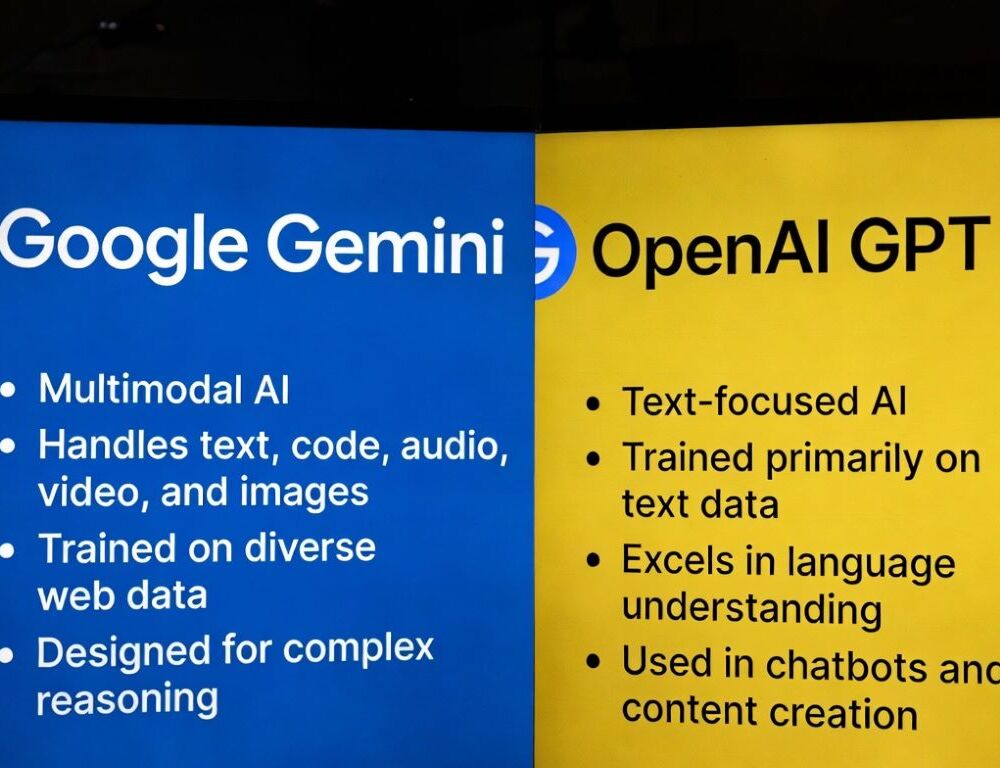
Google Gemini vs ChatGPT is usually not decided by which tool sounds smarter in isolation. It is decided by where your data lives and how many manual steps you can remove from the work you repeat every week. If your materials already sit inside Google Workspace, one path will often feel more natural. If your stack is mixed and your job is to turn messy inputs into reusable outputs across different tools, another path may be easier to live with.
The calmest way to choose is to stop asking for a universal winner and instead ask which tool reduces more friction in two or three real tasks you already do. That is where the difference becomes practical.
- Quick verdict: when Gemini usually wins, and when ChatGPT usually wins
- What should you verify first so the comparison is fair?
- Where Gemini really wins inside Google Workspace
- When Gemini’s long context actually matters
- What makes ChatGPT strong when your tools are mixed
- What changes when ChatGPT uses different thinking modes
- When integrations save time, and when they increase risk
- What mistakes should you avoid when choosing an ecosystem?
Quick verdict: when Gemini usually wins, and when ChatGPT usually wins
| Scenario | More practical choice most of the time |
| In-place work inside Google Workspace | Gemini |
| Mixed tools and one universal output layer | ChatGPT |
| Very long documents and long-context tasks | Usually Gemini |
| Turning raw material into letters, reports, and structured outputs | Usually ChatGPT |
| Admin-gated or Workspace-dependent access | Usually Gemini, but with more setup dependence |
| Tasks where format control and self-checking matter | Usually ChatGPT |
If you want one short answer, Gemini usually feels stronger when your source material already lives inside Google Workspace, while ChatGPT often feels easier when your tools are mixed and you need one stable layer for formatting, synthesis, and reuse.
What should you verify first so the comparison is fair?
A fair comparison starts with matching conditions. Otherwise you are not comparing tools. You are comparing account limits, access settings, or workflow mismatches.
Check these basics first:
- the same type of account in both tools, without accidental profile switching
- the same interface language and prompt language
- the same task type, such as document work, table analysis, or multi-step planning
- the same success criteria, such as fewer edits, less copy-paste, or clearer verification
After that, run one short control task in each tool and decide in advance what counts as a good result. That one step removes a surprising amount of noise from the comparison.
Where Gemini really wins inside Google Workspace
Gemini is strongest when the job happens directly inside Gmail, Docs, Sheets, Meet, or Slides instead of requiring constant copy-paste into a separate chat window. In Google’s “Gemini for Google Workspace: Prompting 101” guide, Gemini is described as integrated into Gmail, Google Docs, Google Sheets, Google Meet, and Google Slides, with side-panel workflows that use your own files and documents. That is the real advantage, not just getting an answer, but getting it next to the material you are already working on.
A fair test here is simple. Give Gemini one Gmail thread, one Docs file, and one Sheets excerpt. Ask for a short summary, two tone variants, and a list of actions that follow from the material. If the result feels closer to a ready-to-use action than to a rough draft, the integration is doing real work for you.
Access matters too. Some workflows depend not only on the model, but on admin-enabled Workspace features, file permissions, or company policy. To confirm compatibility or system requirements first, use access and pricing for the Gemini API. That helps separate model quality from access reality much faster.
When Gemini’s long context actually matters
Gemini’s long context matters when your work depends on keeping constraints alive across large documents, policies, specs, or long message chains without splitting everything by hand. In the Gemini 1.5 report, Google DeepMind states that Gemini 1.5 Pro achieved over 99.7% “needle” retrieval up to 1M tokens of context and maintained that logic when extended to 10M tokens in text mode. For a working user, the point is simple: Gemini tends to behave more naturally when many conditions need to stay active across several steps.
A fair test is highly practical. Give it a large document or several related excerpts, ask for 10 requirements, then change one condition and request only the affected items to be rewritten. If the model keeps the other constraints steady and does not rebuild the whole answer chaotically, long context is giving you real value.
If the output drifts, do not assume the model is the only problem. A quick baseline is How to Use Google Gemini. Sometimes one cleaner prompt structure improves the result more than repeated retries with the same messy input.
What makes ChatGPT strong when your tools are mixed
ChatGPT often wins when you do not have one home ecosystem and your data is scattered across notes, files, drafts, and different services. In those cases, the key value is not tight embedding inside one suite. It is the ability to turn raw material into one usable format, such as a letter, a short report, a fact table, or a review checklist.
In OpenAI’s “How People Use ChatGPT” research, nearly half of all messages in a 1.1 million message sample, 45.2%, fell into three work-relevant information activities: Getting Information, Interpreting the Meaning of Information for Others, and Documenting/Recording Information. That helps explain why ChatGPT is often experienced not as a single-suite tool, but as a broad transformation layer across formats.
The test here is also simple. Give one raw document, ask for a table like “fact → evidence in text → error risk,” then turn the same material into an email and a short executive summary. If structure holds, uncertainty is surfaced clearly, and the result survives the second step without falling apart, ChatGPT may be the calmer fit for your stack.
What changes when ChatGPT uses different thinking modes
Inside ChatGPT, the result is shaped not only by the prompt, but by the active mode. In the GPT-5 System Card, OpenAI describes GPT-5 as a unified system with a fast model, a deeper reasoning model, and a real-time router that chooses based on complexity, intent, and tool needs. That means the same task can behave a little differently even inside one product when the underlying mode changes.
A useful test is straightforward. Run the same scenario twice, first as a direct short request and then in a deeper reasoning mode if your interface gives you that option. Compare not response length, but constraint retention, formatting stability, and whether the answer checks itself in a disciplined way.
That is why, inside ChatGPT, it is often smarter to lock the output format than to chase the “smartest” mode. If you care about predictable workflow behavior, a stable structure usually matters more than an occasionally impressive long answer.
When integrations save time, and when they increase risk
Integrations save time when they remove transfer steps and make validation faster than your current workflow. In the same Gemini 1.5 report, Google DeepMind describes real-world use cases with 26% to 75% time savings across 10 job categories. That suggests the gains from integrations usually show up in repeatable work, not in one-off tasks.
But the gains come with risk. The more sensitive the connected data is, the more important it becomes to know what can be uploaded, who has access, and whether the tool gives measurable value. A safer pattern is simple: start with redacted or non-sensitive excerpts, define what may be uploaded and what must stay out, and measure value by how many edits remain after the first output.
When paid access and upgraded features are part of the decision, a practical reference point for settings or modes is what the Gemini upgrade really changes. That makes it easier to judge integrations by real utility rather than plan labels.
What mistakes should you avoid when choosing an ecosystem?
The most common mistakes happen when you compare different scenarios or change too many variables at once. Do not mix office-style actions with long explanation tasks in one test. Do not connect everything before you know the benefit is real. And do not trust fluent output without a separate “what should still be verified manually” step.
One scenario, one control test, and one success criterion, usually “fewer manual steps,” is what gives the clearest answer. In that format, the choice between Gemini and ChatGPT becomes much less emotional and much more useful.
Sources: