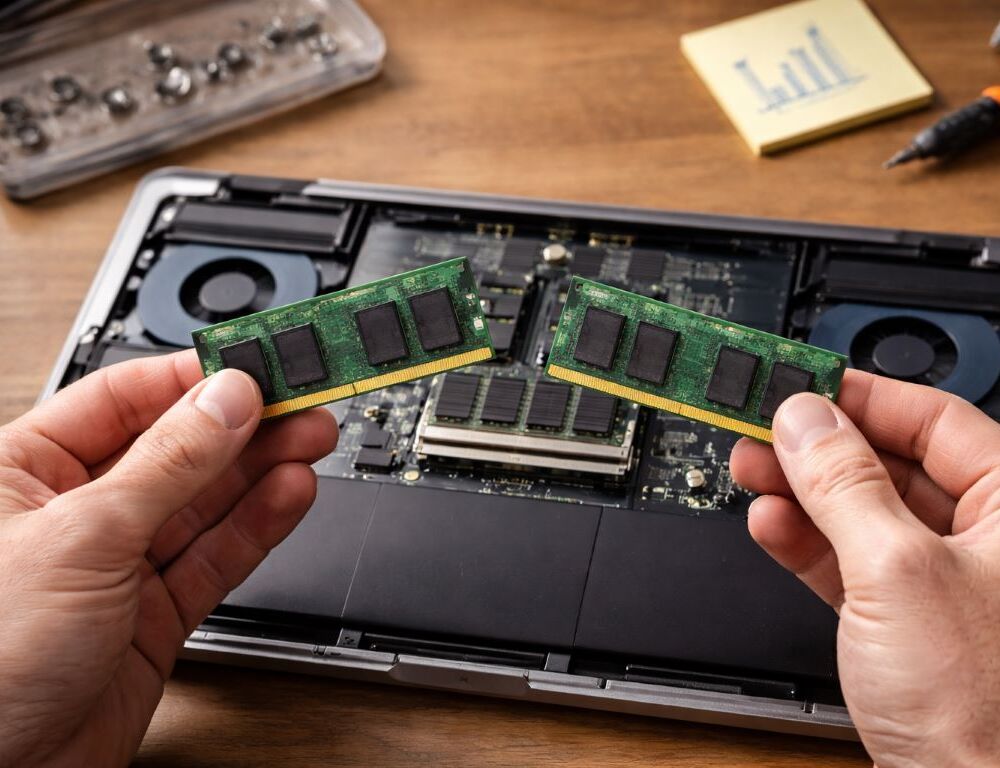
Think of RAM as your laptop’s working desk: the bigger it is, the more tabs, documents, chats, and apps you can keep open without everything feeling cramped. The question “how much RAM do I need for a laptop” usually shows up the day your system starts stuttering, not the day you buy it. Let’s make the choice simple, explain 8GB vs 16GB RAM in real use, and cover details like dual channel and LPDDR that actually change how a laptop feels.
Quick answer: 8GB vs 16GB RAM, what should you pick?
When is 8GB still acceptable?
For basic schoolwork, office tasks, email, and light browsing, 8GB can be enough—if you keep tabs under control and avoid running heavy apps at the same time. The moment you work in a “everything open” style, you’ll hit the ceiling.
Why does 16GB feel like the calm baseline?
16GB gives breathing room: more tabs, a couple of heavier apps, video calls, and larger files. For a laptop for work, it’s the level where you stop thinking about RAM every day.
When is more than 16GB worth it?
If you do video editing, 3D, virtual machines, or heavy projects, 32GB or more can make sense. The point isn’t the number—it’s whether your workload repeatedly pushes memory limits.
What matters besides capacity?
What does dual channel actually change?
Dual channel increases memory bandwidth. In everyday use it can make things feel smoother, and in some games it can improve performance. If your laptop has one stick installed and a free slot, adding a second matching stick can enable dual channel.
Why isn’t LPDDR always a win?
LPDDR is often more power-efficient, which can help battery life, but it’s commonly soldered. That means no upgradeable RAM later—you’re committing to the configuration you buy.
When does storage become the real bottleneck?
With low RAM, the system leans harder on the drive as swap memory. Even a fast SSD feels worse when you’re constantly paging. That’s why 8GB systems can “feel slow” sooner in multitasking.
Table: scenario → recommended RAM → why it fits
| Scenario | Recommended RAM | Why it works |
| School and office | 8–16GB | 16GB is calmer with many tabs |
| Laptop for work | 16GB | Better multitasking headroom |
| Photo + light editing | 16–32GB | Depends on project size |
| Editing, 3D, VMs | 32GB+ | Often saves time and frustration |
| Gaming | 16GB | Dual channel matters, plus GPU pairing |
How do you know if you can upgrade RAM?
Why does soldered RAM matter so much?
If RAM is soldered, you can’t upgrade it later. If your model has slots, you can add or replace sticks, which extends the laptop’s usable life.
How can you confirm slots and the maximum supported RAM?
Check the exact configuration, not just the model name. Some lines mix soldered + slot designs, and the maximum can depend on CPU and BIOS support.
Is buying 8GB now and upgrading later a smart plan?
It can be—if you’re sure the slot exists and you’ll actually do the upgrade. If you want a “buy it once and forget it” setup, 16GB upfront is usually safer.
Why can a laptop feel slow even with “enough” RAM?
How do you tell RAM is the issue?
Common signs: tabs cause lag, app switching slows down, and basic actions feel delayed during multitasking. If that’s your experience, it helps to revisit your full hardware balance using a practical laptop selection guide, because the real bottleneck may be a mix of RAM, cooling, and storage.
When is it smarter to rethink the whole setup?
If you work mostly at one desk and want maximum performance per dollar, it may be worth comparing which is better: laptop or desktop. Desktops are often cheaper to upgrade and easier to tune.
What if your laptop suddenly slows down?
Sometimes it’s not just RAM: updates, overheating, a nearly full drive, or background apps can trigger sudden lag. Start simple—restart, check startup apps and free space, then look at memory and disk usage in Task Manager. If you keep thinking, laptop is slow what to do, week after week, that’s a sign to hunt down the repeating cause instead of chasing one-off symptoms.
Quick answers that remove doubts
Is 8GB enough for browsing and school?
Usually yes if you keep tabs reasonable and avoid heavy multitasking. If you like having everything open at once, 16GB is the safer call.
Is 16GB “future-proof” or already standard?
For most people, it’s already the comfortable standard, especially for multi-app workflows and long sessions.
Does more RAM improve battery life?
Not directly. Battery life is driven more by platform efficiency, display, and power settings. LPDDR can help efficiency, but the tradeoff is less flexibility. RAM isn’t about chasing maximum numbers—it’s about making your laptop predictable in your daily rhythm. Choose capacity based on your workload and upgrade options, and you’ll avoid the slowdowns that creep in over time.