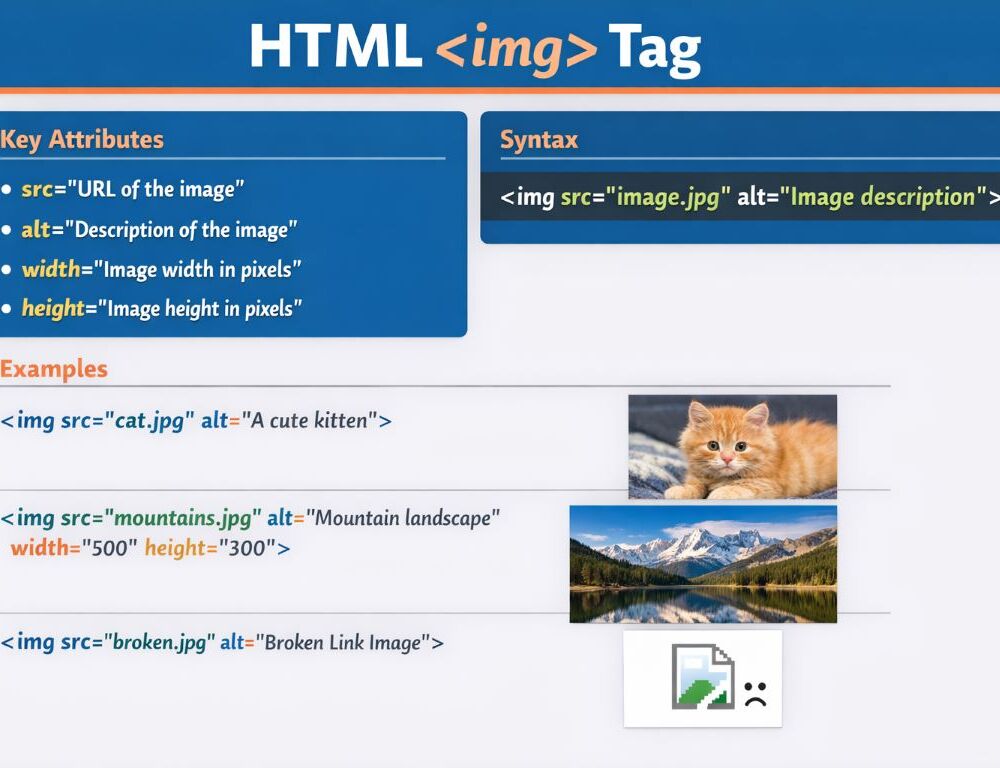
The HTML img tag inserts an image into a page and acts as the standard element for embedding graphics in visible document content. For correct use, the three most important things to understand first are where the file comes from, what the alternative text should say, and how the image size is controlled.
This page stays practical. The focus is how the img tag is written, what src and alt do, how width and height work, how to make an image clickable, and what to check when the image does not appear.
- What is the img tag in HTML and what does the HTML tag img do?
- What is the correct syntax of the tag img HTML pattern?
- What do the src and alt attributes mean in the HTML img tag?
- Which img tag attributes in HTML matter most?
- How do you change image size with the html img size tag approach?
- How do you make an html img tag with link work correctly?
- How do you use img tag in HTML without common setup mistakes?
- Why is the img tag not working in HTML and what should you check first?
- Which mistakes should you avoid when using the img tag in HTML?
- What should you remember about the HTML img tag?
What is the img tag in HTML and what does the HTML tag img do?
The img tag in HTML inserts an image into a page and displays it where the element appears in the markup.
The easiest way to think about it is as a connection point to an image file. The element does not wrap visible page text the way a paragraph or heading does. It tells the browser which image to load and how to describe it for users and assistive tools.
Put more simply, the HTML tag img is responsible for showing the image, while its attributes control the source, description, and basic display behavior.
What is the correct syntax of the tag img HTML pattern?
The correct syntax of the tag img HTML pattern uses an <img> element with a required src and a meaningful alt.
<img src="photo.jpg" alt="Mountain landscape">That is enough for most basic examples. If the tag has no src, the browser has no file to load. If it has no alt, the page loses an important part of accessibility and fallback description.
If you searched for html img tag syntax, this is the core pattern to remember first: one image element, one valid source, and one useful text alternative.
What does a basic html img tag example look like?
A basic html img tag example should include a file path and a short useful description.
<img src="images/cat.jpg" alt="Cat on a windowsill">This also works as a simple img tag in HTML example. It shows the main logic without extra settings. Check first whether the image loads from the given path, and only then add size or other attributes.
What do html img tag examples usually include beyond the base version?
Html img tag examples usually include the same core parts plus one or two practical additions such as image size, a link wrapper, or a more specific alt text.
A useful beginner rule is this: start with one clear html img tag example, then expand it step by step. That approach makes debugging easier than copying a long block of markup all at once.
What do the src and alt attributes mean in the HTML img tag?
The src and alt attributes in the HTML img tag control the image source and the alternative text.
Src tells the browser which file to load. That can be a relative path such as images/pic.jpg or another valid path inside the project. If the path is wrong, the image does not appear.
Alt provides a text alternative that helps when the image cannot load or when assistive technology reads the page. That is why the html img alt tag matters so much in real page work. It should explain the image clearly and briefly instead of becoming a keyword list.
If your search looked more like img src tag html, img src tag in html, or html tag img src, the meaning stays the same. Src points to the file, and the page depends on that path being correct.
How should you write alt text for the img tag?
Alt text for the img tag works best when it is short, specific, and tied to the actual meaning of the image.
Use these rules as a starting point:
- describe what matters in the image
- avoid repeating words such as “image” or “picture” without a reason
- do not turn
altinto a keyword list - use an empty
altwhen the image is purely decorative
That pattern keeps the markup cleaner and more useful. A good quick test is simple: read the alt text without seeing the image and check whether the main meaning still comes through.
Which img tag attributes in HTML matter most?
The img tag attributes in HTML that matter most at the start are src, alt, width, and height.
Src and alt form the base. Width and height help define image dimensions and make rendering more predictable. For beginner page work, that set is already enough.
<img src="banner.jpg" alt="Site banner" width="800" height="300">If you searched for img tag and its attributes in html, this is the core group to remember first. Other attributes and responsive image patterns matter too, but these are the ones that solve most beginner use cases.
How do you change image size with the html img size tag approach?
Image size with the html img size tag approach can be controlled with width and height, but flexible styling is often better handled with CSS.
Here is a direct attribute example:
<img src="photo.jpg" alt="Sea view" width="400" height="250">Here is a CSS-based version:
<img src="photo.jpg" alt="Sea view" style="width: 100%; max-width: 400px;">That first pattern is also a basic answer to searches like img html tag size or html img tag height width. A useful validation step is to check whether the image looks stretched. If the proportions break, review the width and height values or move the sizing logic into CSS. That is usually the safer path when you need html img tag resize behavior that adapts better to layout changes.
How do you make an html img tag with link work correctly?
An html img tag with link works when the img element is placed inside an a element.
<a href="/gallery"> <img src="preview.jpg" alt="Open the gallery"></a>This pattern works well for product cards, gallery previews, and banners. It is also a clean answer to searches for img tag in html with example when the goal is a clickable image.
After adding it, test two things: whether the correct destination opens and whether the alt text still makes sense when the image is unavailable.
How do you use img tag in HTML without common setup mistakes?
You use img tag in HTML safely when you start with a valid path, a meaningful alt text, and size settings that do not distort the image.
A practical sequence looks like this:
- add the image with
srcandalt - confirm the file path works
- set
widthandheightonly if the size needs control - move layout styling into CSS when the page grows more complex
- test the result after each change
If you searched for how to use img tag in html or how to use the img tag in html, this sequence is the safest starting workflow.
Why is the img tag not working in HTML and what should you check first?
The img tag not working in HTML is most often caused by a wrong file path, a filename mismatch, or a conflict with size or styling.
Start with this sequence:
- check whether
srcpoints to the correct file - compare uppercase and lowercase letters in the filename and folders
- confirm that the file actually exists in that location
- temporarily remove styles that may hide the image
- check whether width or height has been reduced to zero
Refresh the page after each step and see whether the image appears. If the html img src tag looks correct and the image still fails, open the file directly in the browser. That quickly shows whether the problem is in the markup or in the resource itself.
Which mistakes should you avoid when using the img tag in HTML?
The most common mistakes with the img tag in HTML usually happen in the small details rather than in the tag itself.
The biggest ones are these:
- leaving
srcwrong or empty - skipping
altwithout a reason - stuffing keywords into
alt - using
widthandheightvalues that distort the image - inserting the image without checking the file path first
If you validate the path, description, and size before publishing, most beginner image problems disappear early. That is a strong habit to build from the start.
What should you remember about the HTML img tag?
The HTML img tag inserts an image into a page and works best when src is correct, alt is meaningful, and size is controlled without distortion. For a solid start, that is enough: a valid file path, a clear text alternative, and a quick visual check after every change.