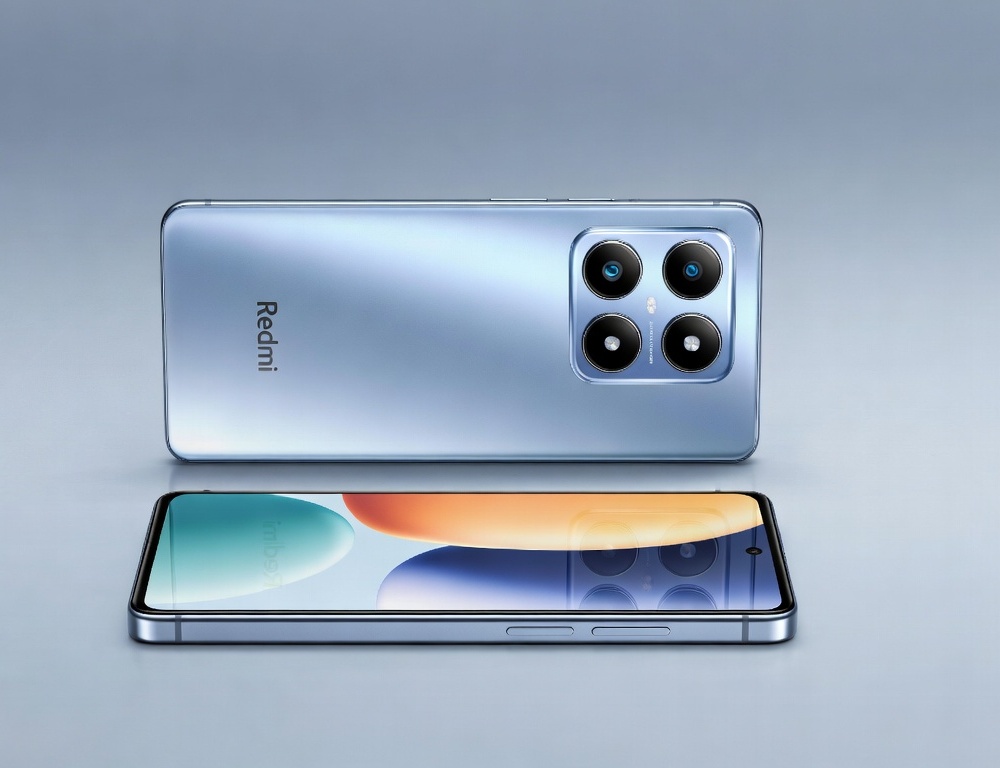
Redmi Note 15 can appear in listings and discussions before a buyer can confirm what is actually being sold. The safest approach is to verify consistent identifiers, model name, region, model code, and normal update behavior.
- Which 3-minute checks reveal whether Redmi Note 15 is a real, verifiable product
- Where to confirm the exact model and model code when menu labels look different
- Which listing red flags most often point to a made-up model or a bait-and-switch
- How to tell a test build, a pre-release unit, and a reflashed phone apart
- What to do if you already bought Redmi Note 15 and now doubt its legitimacy
- Which signs mean it is smarter to stop testing and request support or a return
- Which mistakes waste the most time when researching Redmi Note 15
- Which takeaway helps you decide on Redmi Note 15 with minimal risk
Which 3-minute checks reveal whether Redmi Note 15 is a real, verifiable product
Three-minute checks work when you look for confirmable signals rather than hype claims. The strongest sign is consistent naming and identifiers across the phone, the box, and the seller’s paperwork.
- Model name: One spelling across the listing, the phone info screen, and the box label.
- Region: A specific region or market variant, not “global, trust me.”
- Model code: Matches between device info and the box sticker.
- Updates: A normal update screen that does not look hacked or broken.
If two of these fail, treat the listing as high-risk until the seller explains the mismatch.
The exact model and model code are usually visible in system information even across different Android skins. The most stable path is finding the “About phone” page using Settings search.
Steps:
- Open Settings and use the search bar for “About phone” or “Device information”.
- Check fields like “Model”, “Model number”, and “Software version”.
- Compare the results to the box label and any documents the seller provides.
Validation: the model code and naming should match without alternate spellings in different places.
If your menu looks unfamiliar, ask for a clear statement of the phone’s region and firmware source.
Which listing red flags most often point to a made-up model or a bait-and-switch
Listing red flags show up when the seller avoids specifics. Redmi Note 15 offers become risky when there is no way to verify identifiers and the pitch is only about “top specs”.
Be cautious when:
- There is no photo of the box label with a model code.
- The seller refuses to open “About phone” and the update screen.
- “Global version” is claimed but warranty terms are vague.
- Specs are described in general words with no memory configuration or exact wording.
When these signs stack up, choosing a transparent seller is usually cheaper than fixing a bad purchase.
How to tell a test build, a pre-release unit, and a reflashed phone apart
Test builds and pre-release units can exist, but they are rarely a good idea for normal buyers. A reflashed phone often shows unstable behavior, odd model naming, and update issues.
Checks that help:
- Updates: whether the phone pushes you into manual installs without a clear reason.
- Core services: whether backups, security services, and app installs behave normally.
- Region and language: whether settings revert after a reboot.
Validation: after changing language and region, the phone should keep settings and notifications stable.
Risk: a factory reset can trigger account locks if the phone is tied to someone else’s account. A safer option is skipping any reset before purchase and requiring the seller to sign out of accounts during the inspection.
What to do if you already bought Redmi Note 15 and now doubt its legitimacy
Doubts are best handled with steps that avoid data loss and account lockouts. Start with backups, then verify model identifiers, updates, and connectivity behavior.
Steps:
- Enable backups for photos and contacts before deeper testing.
- Compare the model code in “About phone” with the box label if you still have it.
- Open the update section and run an update check.
Validation: after a reboot, the update screen and key settings should remain normal.
Once the basics look stable, transfer contacts without duplicates so contact cleanup does not interfere with verification.
Which signs mean it is smarter to stop testing and request support or a return
Stopping early is the right move when the seller cannot prove origin or the phone shows account restrictions. It becomes critical when model identifiers do not match or updates look abnormal.
Stop-and-escalate signals:
- The model code does not match between the phone and the box.
- Updates fail in suspicious ways or require risky manual steps.
- There are signs of someone else’s account ties or activation locks.
Validation: capture photos of “About phone” and the update screen so the claim is concrete.
If you are also comparing alternatives, a quick flagship comparison shortlist helps decide whether you even need this category.
Which mistakes waste the most time when researching Redmi Note 15
The most expensive mistakes come from trusting rumors over verifiable identifiers. One wrong purchase can cost more than the discount you thought you got.
Common mistakes:
- Trusting renders and leaks without checking a model code.
- Buying an unclear region variant with vague warranty terms.
- Factory-resetting a second-hand phone before confirming all accounts are signed out.
A better sequence is verify origin first, then migrate data fully.
Which takeaway helps you decide on Redmi Note 15 with minimal risk
A low-risk decision on Redmi Note 15 relies on consistent model naming, matching model codes, a clear region, and normal update behavior. If those markers do not line up, stopping and choosing a transparent purchase path is usually the safest call.