
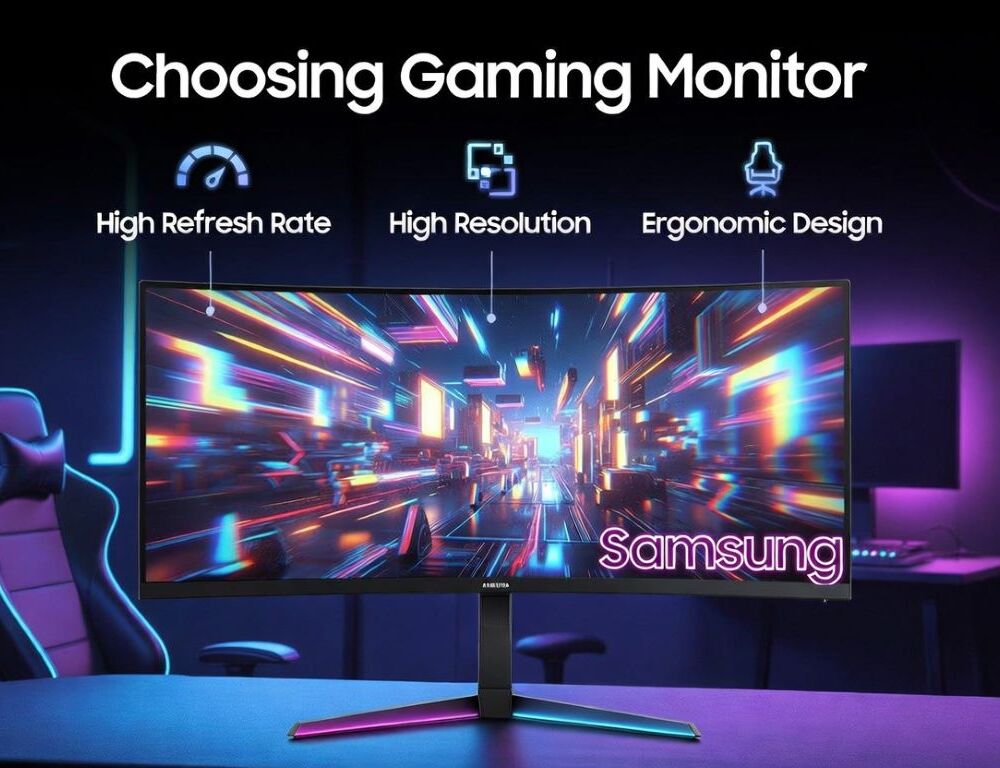
Samsung gaming monitor should match your real use case, because FPS games reward higher refresh and lower latency, RPGs benefit from contrast and shadow detail, and work depends on text clarity and ergonomics. One display can feel excellent in-game and frustrating in spreadsheets if the size, resolution, or scaling is off. A reliable pick follows a simple order: lock the scenarios, validate the must-have specs, then confirm the modes in Windows and the monitor menu.
- Which three checks quickly eliminate bad options before you compare panels?
- What matters most for FPS so motion stays clear and responsive?
- For RPG and single-player games, is contrast, HDR, or resolution the priority?
- How do you choose a monitor that’s comfortable for text-heavy work?
- Panel type and curve: what fits different setups best?
- Which ports and cables actually determine whether you get the advertised modes?
- What mistakes cause overspending or regret after a week?
- When should you stop troubleshooting and consider service or a different model?
Which three checks quickly eliminate bad options before you compare panels?
Three checks for a Samsung gaming monitor tell you fast whether a model is worth deeper comparison. The first check is size versus resolution, the second check is the refresh rate you can actually enable, and the third check is ports and compatibility with your PC or console.
Low-risk triage that saves time:
- Size and resolution should keep text sharp without constant zooming.
- The refresh rate should be achievable with your GPU and cable.
- Ports should match the setup, with DisplayPort commonly preferred on PCs and the right HDMI version needed for consoles.
After these checks, panel type and features become easier to judge because the obvious mismatches are already gone.
What matters most for FPS so motion stays clear and responsive?
For FPS, a Samsung gaming monitor needs a high refresh rate and clean pixel transitions so motion remains readable. The number on the box matters, but overdrive behavior matters too, because aggressive tuning can add halos or inverse ghosting.
Practical targets for shooters:
- 144–240 Hz is meaningful when your PC can keep frame rates close to that range.
- Low input lag usually beats most “enhancement” modes.
- Adaptive Sync helps when FPS fluctuates, reducing tearing and stutter.
A quick validation works in any fast camera pan: motion should look stable, and overdrive should not create obvious bright trails.
For RPG and single-player games, is contrast, HDR, or resolution the priority?
For RPG and single-player games, contrast, shadow detail, and uniformity typically matter more than extreme refresh rates. HDR helps only if the monitor has enough brightness and does tone mapping well, otherwise the image can look washed out.
A sensible priority order:
- Uniformity and minimal backlight issues help in dark scenes.
- Contrast improves depth and separation in low light.
- Resolution matters more when you sit close and your GPU can handle it.
If immersion is the goal, testing dark scenes and gradients is more revealing than chasing the highest Hz.
How do you choose a monitor that’s comfortable for text-heavy work?
For work, a Samsung gaming monitor should deliver sharp text, stable brightness, and a comfortable viewing position. Text clarity is strongly tied to size and resolution, while comfort depends on height adjustment and viewing angle.
A fast work-mode checklist:
- Text should look clean without colored fringes around letters.
- Brightness and color temperature should adjust smoothly.
- The stand or mount should let you set proper height and tilt.
After a short reading session, your eyes should not feel strained, and you should not need to hunch forward to see details.
Panel type and curve: what fits different setups best?
Panel type and curvature shape how a Samsung gaming monitor feels across tasks. VA often delivers stronger contrast, IPS is often more consistent across viewing angles, and a curve is most useful on larger screens at closer distances.
Practical rules that hold up:
- VA can look great in dark games, but check for smearing in fast motion.
- IPS often feels more predictable for mixed use, especially text and UI work.
- Strong curvature can be distracting for spreadsheets or straight-line work, so it needs a real-world test.
When in doubt, a more neutral geometry is usually the safer choice than a dramatic curve without checking comfort.
Which ports and cables actually determine whether you get the advertised modes?
Ports and cables decide whether your system can enable the modes the panel supports. Many “can’t get 144 Hz” cases come down to the wrong cable, the wrong port, or a limited input mode.
Use this quick reference to confirm the setup:
| Scenario | What the connection must support | How to confirm it worked |
| PC + high refresh | DisplayPort or suitable HDMI | Refresh rate appears in display settings |
| Console 120 Hz | Correct HDMI version end-to-end | Console shows 120 Hz enabled |
| 1440p/4K reliably | Quality cable + correct port | Mode persists after reboot |
After changing a cable or port, confirm refresh rate again in Windows and in the monitor menu, because some monitors default to a limited profile.
What mistakes cause overspending or regret after a week?
Mistakes with a Samsung gaming monitor usually come from buying specs without matching them to your hardware and habits. Another common issue is expecting HDR to be a guaranteed upgrade without checking real scenes.
Common pitfalls:
- Buying 240 Hz when your games rarely hold stable high FPS.
- Choosing a large screen with too low resolution, making text look rough.
- Assuming HDR will look better without validating brightness and tone behavior.
- Ignoring ports and cables that cap refresh rate or resolution.
A short verification routine prevents most “it looked great online” outcomes.
When should you stop troubleshooting and consider service or a different model?
Service or replacement makes sense when issues persist across sources and do not change after basic checks. Persistent flicker, recurring artifacts, severe uniformity problems, or missing advertised modes after correct cabling are all valid stop points. A Samsung gaming monitor is a good fit when it holds the intended mode after restarts and stays stable without constant tweaking.