
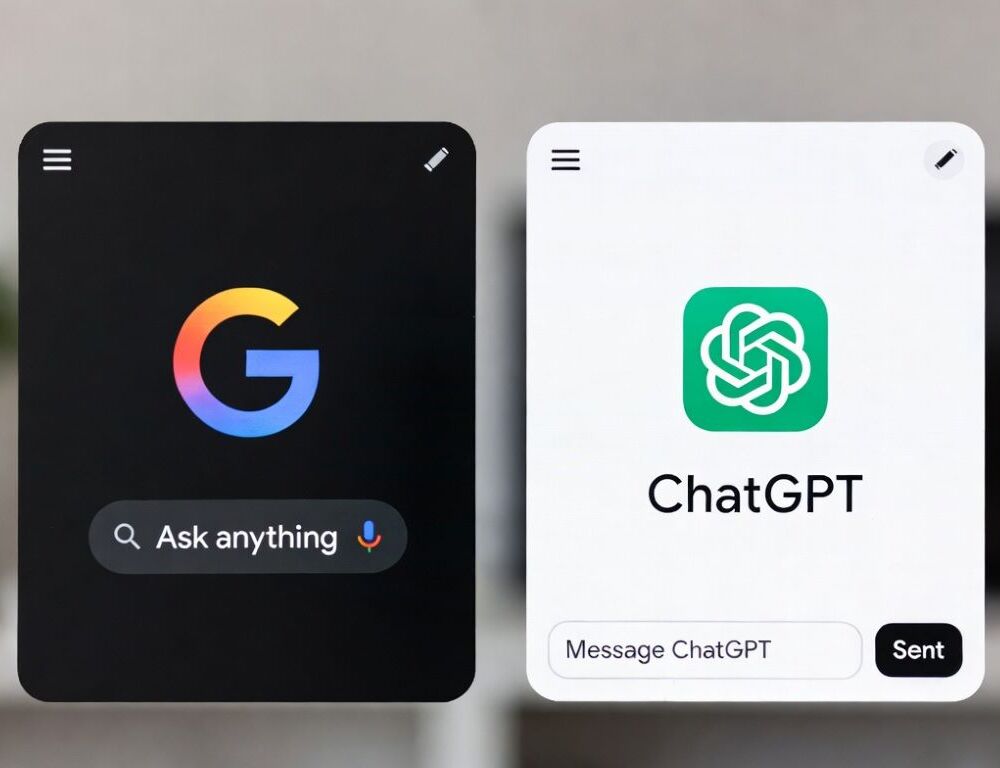

Choosing between Gemini and ChatGPT used to be easier. One was closely associated with Google, the other with OpenAI, and their feature lists looked different enough to make the choice fairly obvious.
That distinction is much less useful in 2026. Both can research current topics, analyze files, interpret images, help with code, and carry a task through several stages, so the better choice usually depends on how the assistant fits into work you already do.
A practical Gemini vs ChatGPT comparison therefore starts after the first answer. The useful question is not which AI sounds smarter, but which one makes you repeat yourself less, move less information between apps, and spend less time repairing the result.
Last checked: September 2026. AI plans, model access, limits, and individual features can change quickly, so subscription-specific details should always be confirmed before you pay.
Where Gemini and ChatGPT Actually Differ
There is now plenty of overlap between the two products. The differences become more noticeable around integrations, large inputs, ongoing projects, and the services that already contain your information.
| What Matters Most | Gemini | ChatGPT |
|---|---|---|
| Google-heavy workflow | Strong native fit with Google services | Connects to outside services without being centered on Google |
| Very large inputs | Strong advantage on higher paid tiers | Limits depend on plan, model, and feature |
| Research | Deep Research and Google-connected workflows | Deep Research and project-based workflows |
| Writing and editing | Strong drafting around Google-based source material | Strong iterative editing and longer revision chains |
| Coding | Strong coding support plus GitHub connectivity | Strong coding and reasoning across a wider tool environment |
| Images | Multimodal analysis and generation | Image analysis and generation alongside text and files |
| Connected work | Google ecosystem is the main advantage | Apps and plugins create a more vendor-neutral setup |
A feature matters only if it removes a step you would otherwise perform manually. A huge context window is valuable when you regularly work with long documents, but it means little if most of your prompts contain only a few paragraphs.
The same applies to integrations. Native Gmail and Drive access can be decisive for someone who spends most of the day in Google Workspace, while another user may care much more about moving between several unrelated services.
Know What You Are Actually Comparing
Gemini and ChatGPT are products rather than single permanent AI models. Their available models, tools, limits, and modes can change depending on subscription, account type, region, and ongoing product rollouts.
This distinction is easy to miss when reading AI comparisons. A benchmark may describe a specific Gemini or GPT model, while the consumer application you are using may expose different capabilities or limits.
API access creates another layer. A ChatGPT or Gemini consumer subscription is not the same thing as paying for API usage, which matters if development is part of your reason for choosing between them.
For the Google side, our Gemini API pricing and access breakdown separates developer access from the consumer plans. Keeping those two products separate prevents an impressive API feature from being mistaken for something automatically included in the Gemini app.
Research Rewards Better Sources, Not Longer Answers
Research quality is difficult to judge from presentation alone. A beautifully structured response with ten citations can still be worse than a shorter answer built around three strong primary sources.
A useful test is to choose a topic that has changed recently. Look at whether the assistant notices publication dates, distinguishes primary documentation from secondary commentary, and makes uncertainty visible instead of hiding it behind confident prose.
Research also becomes more interesting once it stretches beyond one conversation. Uploaded files, previous notes, source material, and later revisions can matter as much as the initial web search, which is where the surrounding product begins to affect the result.
Neither assistant should be trusted simply because an answer includes sources. Open the important citations and check whether they actually support the claims being made.
Writing Quality Shows Up During Revision
Generating a clean first draft is no longer a demanding test for either product. The differences become clearer when the text already exists and the assistant has to edit without destroying what works.
Give both tools a weak paragraph and explain exactly what is wrong with it. Then ask them to preserve part of the wording while changing the rhythm, tone, or audience, and watch what happens after another round of instructions.
This is where irritating habits appear. Constraints may disappear, repeated phrases return, and an initially natural draft can gradually become smoother but more generic.
Gemini can be particularly convenient when the material already sits in Google products. If you are unfamiliar with that workflow, How to Use Google Gemini provides a useful starting point before comparing its writing behavior with ChatGPT.
Gemini vs ChatGPT for Coding and Technical Work
A clean code snippet proves little because both systems can generate plausible-looking code. A more revealing test starts with code that is already broken and asks the assistant to diagnose it before changing anything.
Give each tool the same bug, then ask for the smallest sensible correction and a short test that would confirm the fix. Watch for unnecessary rewrites, invented methods, silent assumptions, or dependencies that were never requested.
Gemini can work with GitHub through its connected-app functionality. Google explains the available connections and their limitations in its official Gemini Connected Apps documentation.
For smaller frontend or beginner programming tasks, repository integration may matter less than clarity. The assistant that explains the failure accurately and changes only what needs changing can be more useful than the one producing the most elaborate solution.
Large Files Give Gemini a Clear Advantage
Context size becomes important when a task involves a long contract, a large research archive, or thousands of lines of code. In those situations, the amount of material an assistant can consider together can change the workflow rather than merely improve a specification sheet.
Google currently documents much larger context capacity on its higher Gemini tiers, including a one-million-token context window for certain paid Gemini Apps plans. The latest limits are listed in Google’s official Gemini Apps limits documentation.
That is a genuine advantage for people who routinely work with unusually large inputs. It can reduce the need to split source material into artificial chunks before asking useful questions about it.
A larger context window is not a guarantee that every small fact will be handled correctly. Long-document work still benefits from targeted questions and checks for missing details.
Google Integration Can Decide the Winner Early
Gemini has an obvious advantage when Gmail, Drive, Docs, Calendar, Keep, and Tasks already form the center of a working day. The value comes from reaching information where it already lives rather than repeatedly copying it into another application.
Google documents how Gemini can interact with supported Workspace services in its Gemini Workspace integration documentation. The same documentation also describes important limitations, so integration should not be interpreted as unrestricted access to every Google service or action.
Those limitations do not remove the core advantage. If most useful context already sits inside Google’s ecosystem, fewer uploads and fewer switches between applications can save more time than a small difference in answer quality.
This is one reason a feature comparison alone can be misleading. The surrounding workflow may decide the better product before either assistant receives a prompt.
ChatGPT Has Moved Beyond the Standalone Chatbot
Older comparisons often presented Gemini as the connected assistant and ChatGPT as the independent chatbot. That description no longer reflects how ChatGPT is developing.
ChatGPT now supports external services through apps and plugins, making it possible to build workflows around data and tools that do not all belong to one vendor. OpenAI’s current plan structure and included capabilities are maintained on the official ChatGPT pricing page.
This produces a different kind of advantage from Gemini. Google offers particularly natural connections inside its own ecosystem, while ChatGPT can make more sense when work is distributed across several products and platforms.
Temporary product problems can distort this comparison. If ChatGPT is failing to load chats or tools during testing, our ChatGPT troubleshooting steps are worth running through before judging the assistant itself.
Image Work Exposes Different Strengths
Image generation and image understanding are not the same capability. An assistant can create an attractive image while still missing an important detail in a screenshot, graph, or photograph.
A useful visual test is to ask both systems to list only what can actually be observed before offering an interpretation. This makes unsupported assumptions much easier to spot than a normal request for an immediate diagnosis.
For image creation, different criteria matter. Prompt adherence, selective editing, readable text, and the ability to preserve parts of an existing image often matter more than whichever service produces the flashier first result.
Users who mainly analyze screenshots may therefore reach a different conclusion from people who mainly generate or edit visuals. Treating both jobs as a single multimodal category hides that distinction.
Gemini vs ChatGPT Pricing in 2026
The mainstream paid tiers are priced closely enough that cost alone is rarely a strong reason to choose between them. The more useful comparison is what each subscription adds to the work you actually perform.
Google packages Gemini access with benefits across its broader ecosystem, while ChatGPT subscriptions focus more heavily on expanded access to models, reasoning, files, research, and other ChatGPT tools. Regional prices and plan details can change, so provider pages should be checked before subscribing.
Our Google Gemini pricing and plans article goes deeper into Google’s consumer tiers. Keeping that information on a dedicated page also avoids turning this comparison into a long price table that will age quickly.
API costs should again be considered separately. A developer processing thousands of requests has a very different pricing question from an individual choosing a monthly chatbot subscription.
Gemini Makes More Sense When Google Already Runs Your Day
Gemini deserves the first trial when much of the information you work with already belongs to your Google account. Gmail, Drive, Docs, Calendar, and related services give the assistant useful context without requiring the same amount of manual movement between tools.
Its large-context capabilities strengthen that case for people working with long documents or substantial source material. These are concrete workflow advantages rather than vague claims that one model is simply smarter.
Gemini is especially worth testing first when:
- most working documents already live in Google services;
- Gmail, Drive, Docs, or Calendar are open throughout the day;
- unusually large documents or codebases are common;
- Google’s bundled storage has value beyond the AI assistant;
- reducing uploads and app switching matters to you.
Those conditions do not guarantee that Gemini will produce your preferred writing or coding style. They simply give it an advantage before subjective output quality is considered.
ChatGPT Fits Work That Refuses to Stay in One Box
Some tasks do not have one natural home. Research turns into document analysis, the document produces a draft, the draft requires data work or code, and the original question becomes a larger project.
ChatGPT is particularly attractive in that kind of environment because its value is spread across several kinds of work. It can be a better fit for users who care less about one native productivity suite and more about moving between different task types.
It deserves an early trial when you frequently:
- move between research, writing, analysis, and code;
- revise work through several rounds;
- use services from several different vendors;
- want context to survive as a task evolves;
- value a flexible tool environment over native Google integration.
This is not a neat split between different types of people. Real workflows overlap, which is why testing actual work is more useful than assigning each product a personality.
Five Real Tasks Beat Fifty Benchmarks
A personal comparison does not need to become a laboratory experiment. Five ordinary tasks from the previous week can reveal most of the differences that will matter after the novelty wears off.
Use the same inputs for both assistants:
- summarize a document whose contents you already know;
- repair a paragraph with a specific writing problem;
- research something current and inspect the sources;
- solve a technical issue with a verifiable answer;
- analyze a file or screenshot, then change one important constraint.
Afterward, look at the unglamorous details. Count how often you repeated an instruction, how much output needed deleting, whether the sources were genuinely useful, and how often another tool was needed to finish the task.
That information is much more predictive than declaring one assistant the winner of arbitrary categories. The system that creates less cleanup in your actual work is usually the better purchase.
The Better AI Is the One That Leaves Less Work Behind
Gemini has its clearest advantages when Google already contains much of the context for a task and when very large inputs are part of normal work. Those benefits are easy to observe because they reduce copying, uploading, and switching between applications.
ChatGPT makes a strong case when work moves across different tools, formats, and stages. Its broader workflow approach is particularly useful when research, writing, files, analysis, and coding frequently overlap.
There is no need to decide which AI is universally better. Run several recent tasks through both and pay attention to what happens after the answer arrives, because the assistant that consistently leaves less correction and less manual work behind is probably the better fit.