
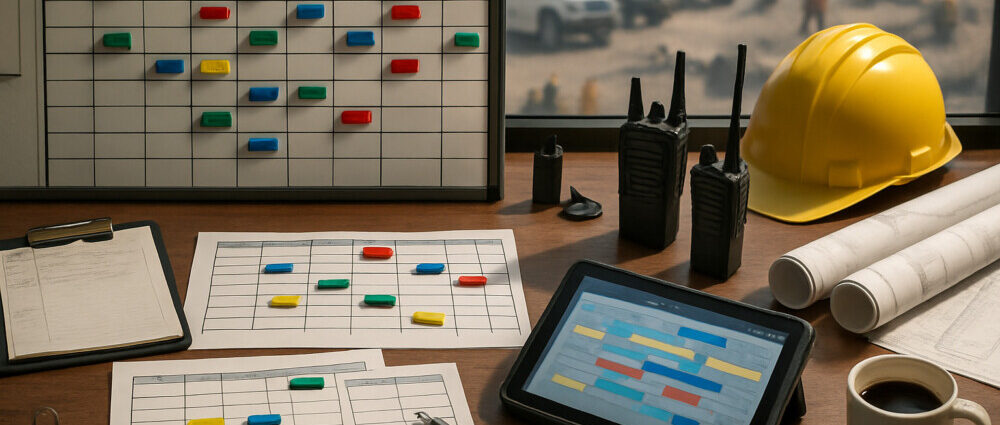
Construction dispatch software helps contractors manage crew scheduling, equipment allocation, work orders, and field communication from one place. For companies handling service calls, deliveries, maintenance jobs, or multi-site projects, it reduces phone-tag, missed assignments, and paperwork delays that slow down daily operations.
Construction dispatch software keeps field work organized
Construction dispatch software keeps field work organized by connecting the office schedule with what crews are actually doing on site. Instead of juggling whiteboards, spreadsheets, and group texts, dispatchers can assign jobs based on location, availability, skill set, and equipment needs.
That matters most for contractors with moving parts across the day, such as HVAC installers, plumbing teams, electrical service crews, concrete delivery schedules, excavation work, or general contractors coordinating subcontractors. A good system gives the office a live view of job progress, delays, and schedule changes without constant manual follow-up.
Most platforms combine several functions:
- Job scheduling and drag-and-drop dispatching
- Crew and technician assignment
- Equipment and vehicle tracking
- Work order management
- Mobile updates from the field
- Customer notifications and appointment windows
- Timesheets, job notes, and photo capture
- Integration with invoicing or project management tools
Core features matter more than long feature lists
Core features matter more than long feature lists because dispatch software only works if your team can use it quickly during a busy day. The best option is usually the one that makes scheduling clearer, not the one with the most tabs.
Real-time scheduling is the feature that saves the most time
Real-time scheduling is the feature that saves the most time because dispatchers can move jobs, reassign crews, and react to delays without rebuilding the whole day. If one crew runs late or a customer changes the appointment, the office can update the schedule and push the change to the field immediately.
Mobile field access keeps crews aligned
Mobile field access keeps crews aligned by giving technicians or supervisors a simple app for job details, directions, checklists, photos, and status updates. That reduces calls back to the office and creates a cleaner record of what happened at each site.
Asset and equipment visibility prevents scheduling conflicts
Asset and equipment visibility prevents scheduling conflicts when the same machine, truck, or specialty tool is needed on multiple jobs. Construction dispatch software is much more useful when it tracks both people and equipment, not just calendar slots.
Integrations reduce duplicate admin work
Integrations reduce duplicate admin work by syncing dispatch activity with accounting, CRM, estimating, or project management systems. If your office still has to retype job data after every dispatch, the software will create friction instead of removing it.
Construction dispatch software should fit your workflow size
Construction dispatch software should fit your workflow size because a small service contractor and a multi-crew commercial operation do not need the same setup. Buying too much software can slow adoption, while buying too little can force another switch within a year.
Small and midsize contractors usually need fast scheduling, mobile updates, route awareness, and simple reporting. Larger operations often need role-based permissions, deeper integrations, equipment management, subcontractor coordination, and stronger audit trails.
During evaluation, check these practical points:
- Dispatch speed during schedule changes
- Ease of use for office staff and field crews
- Mobile app reliability in weak-signal areas
- Support for recurring jobs or emergency calls
- Visibility into crew location and job status
- Reporting on labor, response time, and utilization
- Pricing model per user, vehicle, or feature tier
A trial works best when you test real jobs, not a polished demo. Use one busy day’s schedule, assign actual crews, and see whether the system handles changes without confusion.
Implementation succeeds when the rollout stays simple
Implementation succeeds when the rollout stays simple and focused on the dispatch process first. Many teams fail with new software because they try to rebuild every workflow at once.
A safer rollout starts with one branch, one service line, or one dispatch team. Import active jobs, set up crew profiles, define equipment availability, and standardize job status updates. After that, connect accounting, customer messaging, or advanced reporting.
You can verify that the rollout is working by checking a few clear signals:
- Fewer missed or duplicated assignments
- Less time spent calling crews for status updates
- Faster response to delays and urgent jobs
- Cleaner job records with notes and photos
- More accurate labor and utilization reporting
If those signs do not improve after rollout, the next step is usually process cleanup rather than a full replacement. Job types, status labels, permissions, and mobile training often need adjustment before the software shows its value.
Construction dispatch software delivers the most value in daily coordination
Construction dispatch software delivers the most value in daily coordination, not just in reporting dashboards. The real benefit is knowing who is going where, with which equipment, at what time, and whether the job is actually moving as planned.
For contractors choosing a platform, the strongest option is the one that makes dispatch faster, field updates clearer, and schedule changes easier to manage under pressure. If it can do that reliably, it will usually improve customer response times, reduce admin overhead, and give project teams a more accurate view of the workday.