
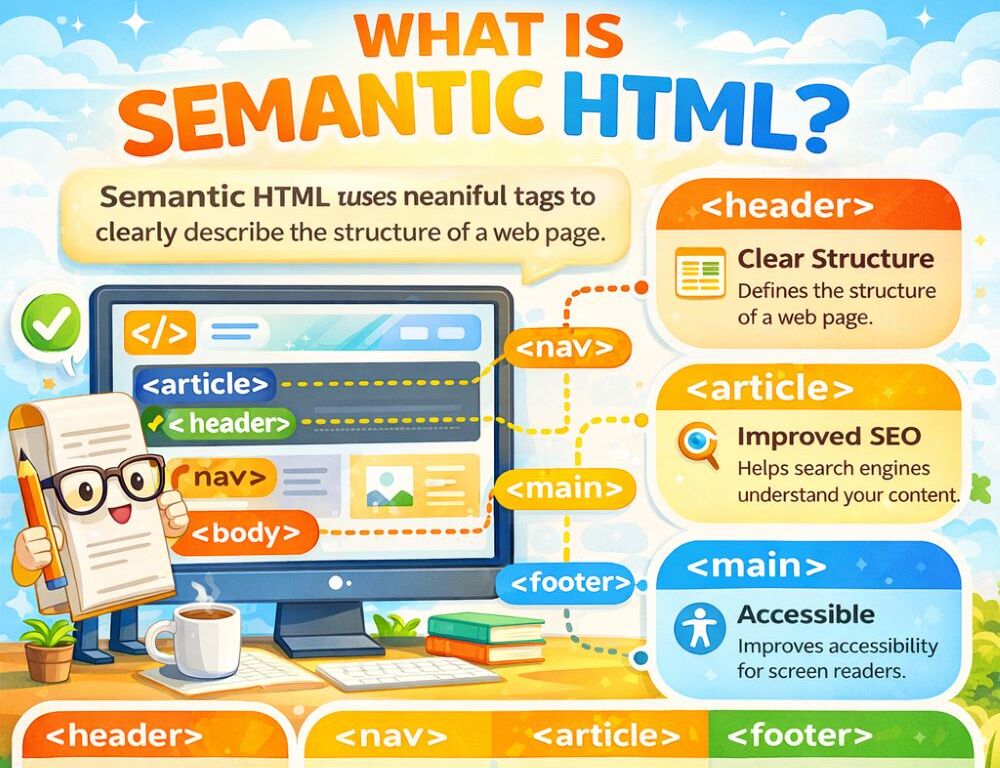
What is semantic HTML is easiest to answer like this: semantic markup shows not only how a block appears, but also what role it plays on the page. That is why browsers, search engines, and assistive technologies can better understand where navigation begins, where main content sits, where an article stands on its own, and where supporting document regions belong.
- What is semantic HTML and what makes markup truly semantic?
- Why is semantic HTML not just about div and span?
- Which semantic HTML elements should you learn first?
- How does semantic HTML help accessibility and navigation?
- How can you check whether a page has semantic HTML structure?
- Which mistakes should you avoid when using semantic HTML?
- What is the main takeaway about semantic HTML?
What is semantic HTML and what makes markup truly semantic?
Semantic HTML means that an element describes content by its role instead of replacing structure with a random container or a visual shortcut.
In a teaching PDF on semantic HTML, the core idea is explained as giving page content meaning and structure rather than presentation alone. In practical terms, that creates a simple rule: a heading should be a heading, a paragraph should be a paragraph, a list should be a list, and navigation should be navigation. When elements are used for appearance instead of meaning, page structure becomes harder to understand even if the design still looks fine.
Why is semantic HTML not just about div and span?
Semantic HTML is not just about div and span because those elements alone say very little about the role of the content inside them.
A teaching PDF on HTML5 semantic elements explains that older HTML page structures were often built with div plus descriptive id and class values because the language did not yet offer more precise elements for major parts of a document. HTML5 addressed that limitation by introducing dedicated elements for the header area, navigation, article content, sections, side content, and footer. That makes the difference structural, not decorative. div remains useful as a generic container, but it should not replace a meaningful element when a clearer option already exists.
Which semantic HTML elements should you learn first?
Semantic HTML elements are best learned as the foundation of page structure rather than as an advanced topic after styling.
In a semantic HTML handout, 6 core structural elements are listed as the usual starting set: header, nav, section, article, aside, and footer. That is a strong beginner set because it covers the most common page regions without turning the topic into a long catalog.
The easiest way to remember them is this:
headermarks the top part of a page or sectionnavcontains important navigation linkssectiongroups a thematic part of the contentarticlemarks a relatively self-contained piece of contentasideseparates supporting or secondary materialfootermarks the lower service area of a page or section
If you are unsure whether something should be section or article, use a simple test. If the block could stand on its own without losing meaning, article is often a better fit. If it only makes sense as part of a larger page, section is usually more accurate.
Semantic HTML helps accessibility and navigation because it gives browsers and assistive tools clearer structural landmarks inside a document.
A PDF presentation on WCAG and accessibility reports the results of checking 1,000,000 home pages: 94.8% had WCAG failures, and the average page had 51 accessibility errors. That does not mean semantic HTML alone fixes everything, but it does show how common structural and labeling problems still are. When headings, regions, navigation, and content roles are vague, pages become harder to understand and move through.
From a semantic HTML perspective, the practical lesson is to avoid inventing structure that standard elements already describe. When headings, navigation, page regions, and related form controls are marked clearly, the need for workaround patterns becomes smaller.
How can you check whether a page has semantic HTML structure?
A page has semantic HTML structure when the role of its major blocks remains understandable without styles and without guesswork.
A practical review sequence looks like this:
- Check whether the page has one main meaningful heading.
- See whether most of the page is built from unnamed
divblocks with no clear role. - Confirm that navigation, main content, supporting content, and footer regions are separated.
- Check whether heading levels follow a logical order.
- Remove styling mentally and test whether the page still makes structural sense.
A semantic HTML and accessibility cheat sheet says that a page will typically have one <h1>, while nav most often appears 1 or 2 times per page. That is not a rigid rule for every design, but it is a useful structural benchmark. If the page still feels unclear after this review, start with the largest anonymous blocks and replace them with meaningful elements where the role is obvious.
Which mistakes should you avoid when using semantic HTML?
The most common semantic HTML mistakes usually come from the habit of building everything with containers instead of meaning.
The biggest ones are easy to spot:
- using
divwhere a meaningful element already exists - choosing headings by font size instead of document structure
- mixing navigation with main content without a clear boundary
- using elements for visual effect instead of their intended role
- building a page that loses its logic when CSS is removed
If a block only works because of class names and styling, that is a strong sign to check whether the markup is missing a semantic element.
What is the main takeaway about semantic HTML?
The main takeaway about semantic HTML is simple: it makes page structure understandable to more than just the person looking at the finished design. When navigation, sections, articles, service regions, and headings are marked according to their real role, the page becomes easier to read, easier to maintain, and more dependable as it grows.
Sources: